

Views: 0 Author: Site Editor Publish Time: 2025-09-30 Origin: Site


You can fix most air compressor problems quickly with just three easy steps. First, check the power and connections. Next, inspect and clean the air filters. Finally, examine for leaks and unusual noises. You do not need special skills or tools. These solutions work for common issues that often stop your compressor from giving steady air. Anyone can follow these steps at home and get their air tool back in action.
Check the power and connections first. Make sure your compressor is plugged in. See if the circuit breaker works. This can fix many starting problems.
Look at and clean the air filters often. Clean filters help your compressor work better. They also make it last longer. Change the filter if it is broken.
Listen for strange sounds to find problems. Different noises can mean air leaks or worn parts. Fix these fast to stop bigger repairs.
Use soapy water to find air leaks. Bubbles will show where leaks are. Fixing leaks keeps pressure and efficiency good.
Do regular maintenance to find small problems early. This helps you save time and money. It stops expensive repairs later.
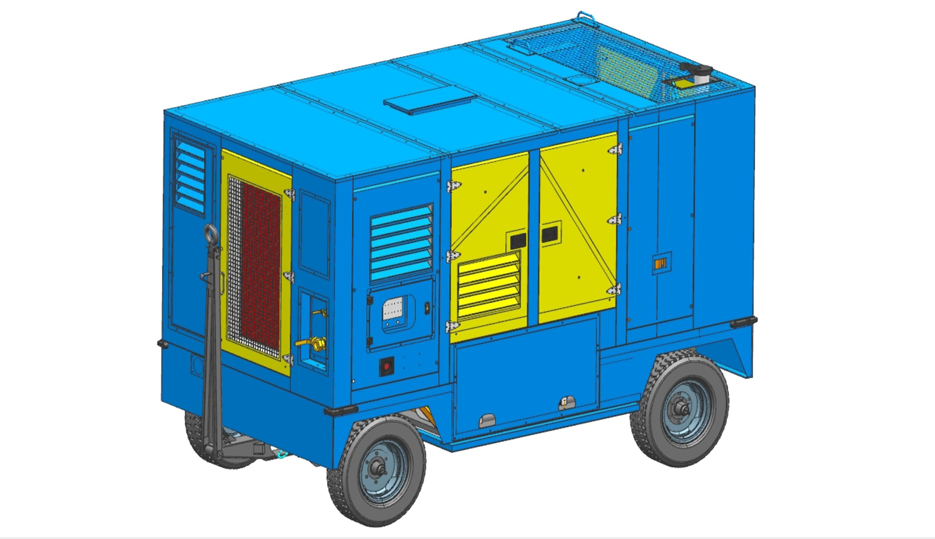
If your air compressor will not start, you want a fast fix. Most of the time, power or connection problems are the reason. Let’s go over the steps for air compressor troubleshooting.
First, see if your compressor is plugged in and has power. Many starting problems happen because of power issues. Here are some common power problems you might find:
Compressor will not turn on
Not enough power makes it slow down
Trouble with the power switch or circuit breaker
To check the power safely, do these things:
Use a megohmmeter to test the motor insulation. If the number is low, dry the motor or get a new one.
Look at the control panel. Make sure the display, buttons, and lights work. Check for burnt parts or loose wires.
Make sure the power supply matches your compressor’s voltage and frequency. Look at the circuit breaker and safety switches.
If you use a GTL air compressor, you can count on it for steady power.
Wires that are loose or broken can stop your compressor from working. Here is a table with some common electrical problems:
Common Electrical Problems | Description |
|---|---|
Faulty Wiring | Can cause short circuits and make the compressor stop. |
Power Surges | Might hurt the motor or other parts. |
Tripped Breakers | Stops power and causes problems. |
Always turn off the power before you check wires. Tighten loose wires and change any broken cords.
A bad switch or reset button can also cause problems. Here is what you should do:
Press the ON button. If nothing happens, check the power cord and switch.
Look at the fuses and change them if needed.
Reset the breaker and check the pressure switch.
Use the reset switch if your compressor has one. If it works after you reset it, you may have fixed the problem.
If you need to reset it a lot, check for bigger wiring or pressure problems.
Tip: If your air compressor keeps having trouble starting, check the pressure switch and all wires again.
By following these steps, you can fix most power and connection problems at home. GTL has many air compressors that are easy to take care of and work well.
If your air compressor seems sluggish or struggles to deliver steady air, the filter might be the culprit. Let’s walk through troubleshooting compressor performance issues step by step. You’ll find these solutions easy to follow, and you don’t need special tools.
Start by switching off your compressor and letting it cool down. Never try to remove the air filter while the compressor is running. Here’s a simple way to get started:
Turn off the air compressor and wait for it to cool.
Unscrew and remove the protection cage and top cover from the filter base.
Take out the filter bowl and inspect for dirt or damage.
Remove the filter element and check for cracks, holes, or heavy buildup.
Tip: If you see tears or excessive dirt, it’s time for a new filter.
Now, decide if you should clean or replace the filter. If the filter looks worn out or damaged, replacement is best. If it’s just dirty, cleaning works well. Here’s how you can clean most air filters:
Use low-pressure compressed air (under 30 PSI) to blow out dust from inside out.
For washable filters, rinse gently with warm water and mild detergent.
Let the filter air dry completely before reinstalling.
You should check or replace your air filter every 3–6 months. If your compressor runs hotter than normal, struggles to keep air pressure, or makes odd noises, the filter may need attention. Regular filter maintenance keeps your air compressor running smoothly.
Once the filter is clean and dry, put it back in place. Secure all parts tightly. Power up your compressor and check for normal airflow and performance. If everything sounds right and the air flows well, you’ve solved the problem.
Note: At GTL, we design our air compressors for easy filter access and maintenance. Our product categories include portable air compressors that make these steps simple for any user.
A clean air filter means better compressor performance and longer life. Make this part of your regular maintenance routine for the best results.
When your compressor is very noisy or you notice a drop in pressure, you might have air leaks or other common issues. These problems can cause inadequate pressure, excessive noise, or even make your compressor stop suddenly. Let’s walk through simple troubleshooting solutions to help you fix leaks and get your air compressor running smoothly.
Start by turning on your compressor and paying close attention to the sounds it makes. Different noises can point to specific issues:
Knocking or banging sounds mean trouble with pistons or crankshafts.
Hissing or whistling sounds suggest air leaks in hoses, fittings, or the tank.
Screeching or squealing sounds often come from worn belts or pulleys.
Clicking or clanking sounds may signal loose bolts or foreign objects.
If your compressor only hums or makes excessive noise, you should check for leaks and inspect all moving parts. Listening during off-hours, when everything is quiet, helps you spot leaks that are hard to hear in a busy workshop.
Air leaks are one of the most common issues with compressors. If your compressor does not reach operating pressure or compressor will not build pressure, leaks are likely the cause. Here’s how you can find them:
Walk around your compressor and listen for hissing sounds.
Use a mild soapy water solution. Spray it on hoses, fittings, and connections. Bubbles will form where there is a leak.
Try ultrasonic leak detection tools if you have access to them. These devices pick up high-frequency sounds from leaks, even in noisy areas.
Look for loose fittings, improper installation, damaged components, vibration-related problems, threaded pipe issues, and open drain traps.
If you notice your compressor leaks air or you see a drop in pressure, tag the leak for repair and log it for future maintenance.
Once you find a leak, you need to fix it right away. Here are some solutions for common air leaks:
Use solder or epoxy to seal leaks in metal parts.
Tighten bolts or use clamps around fittings.
Plug fittings for specific leak locations.
Wrap small leaks in fittings with Teflon tape.
Replace defective fittings or worn O-rings in valves.
Swap out the entire cylinder head if leaks persist.
Always check connections after repairs. If your compressor won’t operate or you still have inadequate pressure, repeat the troubleshooting steps. Regular leak prevention and quick repairs keep your air compressor working at its best.
Tip: Creating a leak prevention program and tagging leaks for later repair helps you avoid future problems and keeps your compressor running efficiently.
Sometimes, basic troubleshooting tips are not enough. If your compressor still has issues, you need to check a few advanced parts. These steps help you find and fix deeper problems so your air compressor works like new.
The unloader valve plays a big role in how your compressor starts and stops. If this valve does not work right, you might notice:
The compressor struggles to start because high-pressure air stays trapped.
Pressure builds up too much, which can wear out parts like pistons and bearings.
Too much pressure can even cause safety risks.
The compressor may not perform well, and you might see a drop in air quality.
To check the unloader valve, listen for a short hiss of air when the compressor shuts off. If you do not hear it, the valve may need cleaning or replacement.
The pressure switch and regulator control when your compressor turns on and off and how much air pressure you get. Here’s how you can test them:
Turn off the power at the breaker.
Set your multimeter to the continuity setting.
Disconnect the wires from the pressure switch.
Touch the probes to the switch terminals to check for continuity.
Switch your multimeter to resistance mode and measure across the terminals.
For the regulator, find the knob and check the current pressure on the gauge.
Adjust the knob and watch the pressure change.
Connect your air tool and make sure it works at the new pressure.
Tip: Always stay below the maximum pressure rating for your compressor.
Oil and cooling keep your compressor running for a long time. If you have an oil-lubricated model, check the oil level every day. Make sure the oil sits at least halfway up the gauge. Not enough oil can cause overheating and wear. Also, check that the compressor room has good airflow. Poor cooling can make the compressor overheat and fail early.
Valves control the flow of air and pressure inside your compressor. Dirty or dry valves can cause pressure loss and noise. Clean the valves with a soft cloth and use the right lubricant. This keeps the compressor running smoothly and helps prevent future problems.
Here’s a table of advanced troubleshooting techniques you can try:
Technique | Purpose | Process |
|---|---|---|
Vibration Analysis | Find loose or unbalanced parts | Use a vibration analyzer to spot and fix problems |
Thermal Imaging | Check for overheating or worn parts | Scan the compressor and fix any hot spots |
Air Quality Testing | Make sure the air is clean and dry | Test for moisture, oil, or dust and replace filters or seals if needed |
Noise Analysis | Find the source of strange sounds | Use a stethoscope to listen and tighten or replace parts as needed |
These solutions help you solve even the toughest compressor problems. Regular checks and maintenance keep your air compressor in top shape.
You can fix most air compressor problems in three steps. First, check the power and connections. Next, look at and clean the air filters. Last, check for leaks and strange noises. These steps are easy and help you save time and money. Try them before you call for help. Doing regular maintenance helps you find small problems early. It also keeps your compressor working well.
Keeping up with industrial air compressor maintenance helps your equipment last longer. If you follow a regular schedule, you can stop expensive repairs and make your equipment work for more years.
Here’s why maintenance is important:
Benefit of Maintenance | Impact on Repairs |
|---|---|
Finding small problems early | Stops big repairs |
Making equipment last longer | Saves you money over time |
Less downtime | Avoids expensive emergency fixes |
You should check your air filter every month if you use your air compressor often. Clean or replace it when you see dirt. Clean air helps your compressor run better and last longer.
Leaks in hoses or fittings often cause fast air pressure loss. Listen for hissing sounds. Spray soapy water on connections. Bubbles show leaks. Fixing these spots gives you quick solutions.
First, check the power source. Make sure the switch is on and the cord is plugged in. Look at the circuit breaker. If the compressor still will not start, call for help.
Place your compressor on a rubber mat. Tighten loose bolts. Clean the air intake filter. These steps lower noise and help air flow better.
Yes, you can use your air compressor to blow dust off tools or work areas. Always wear safety glasses. Never point the air nozzle at yourself or others.


